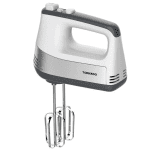
Tornado Hand Mixer
تورنيدو مضرب يدوي Tornado Hand Mixer السعر الأصلي هو: 2.829,00 EGP.السعر الحالي هو: 2.469,00 EGP.
العودة إلى المنتجات
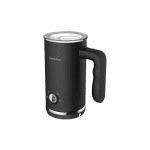
Tornado Frother Maker
صانعة رغوة الحليب تورنيدو Tornado Frother Maker السعر الأصلي هو: 4.199,00 EGP.السعر الحالي هو: 2.999,00 EGP.

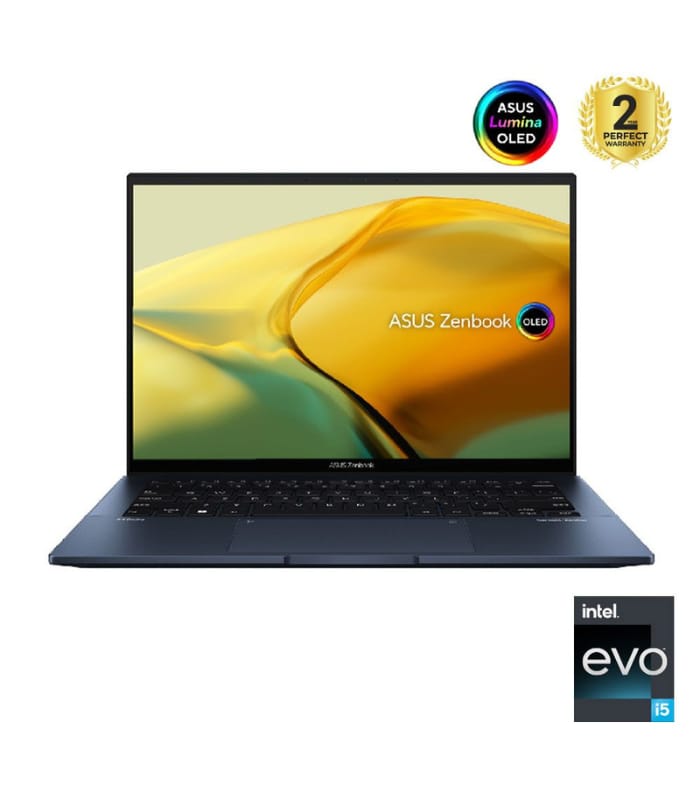
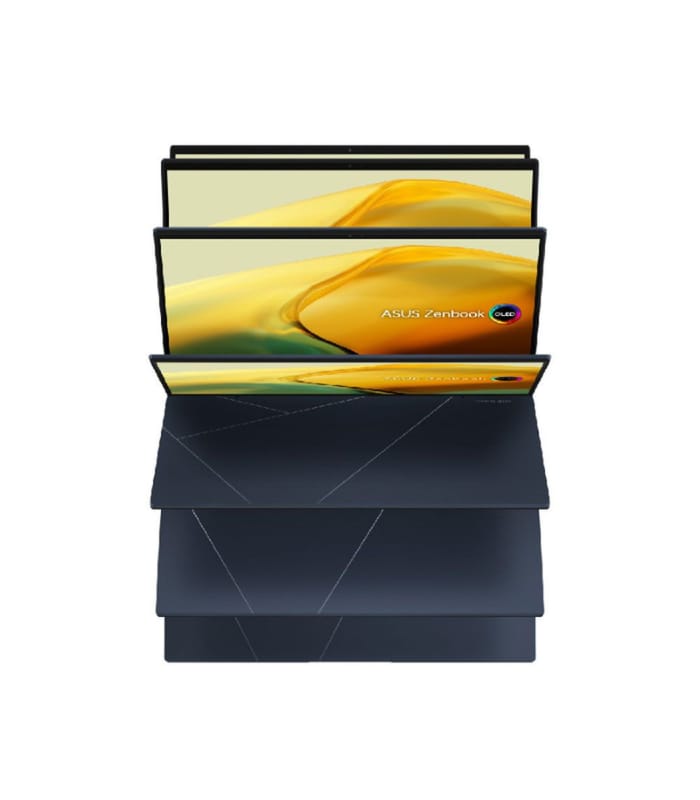
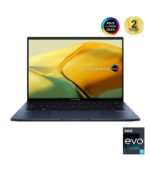
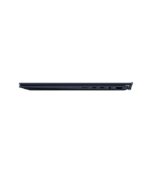
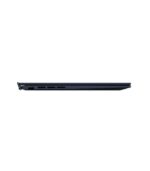
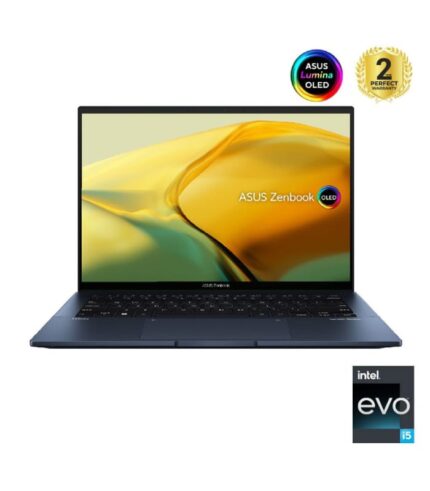
لاب توب اسوس ASUS Zenbook 14 OLED UX3402ZA-OLED005W

رمز المنتج: 2B-ZU442

السعر الأصلي هو: 48.799,00 EGP.السعر الحالي هو: 39.999,00 EGP.

غير متوفر في المخزون

غير متوفر في المخزون

259 بيشوفوا المنتج ده حالياً !
  • PEAR منتج أصلي 100% بالضمان

تفاصيل أكثر!

  • PEAR 14 يوم إسترجاع

تقدر تشتري المنتج ده بـ

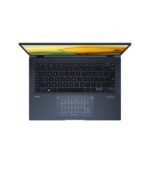
لاب توب اسوس ASUS Zenbook 14 OLED UX3402ZA-OLED005W

اسوس Zenbook 14 OLED UX3402ZA-OLED005W لاب توب – انتل® كور™i5-1240P – رامات 8 جيجا بايت – هارد ديسك 512 جيجا بايت SSD – جرافيك Intel UHD – شاشة 14 بوصة OLED – ويندوز11 – ازرق

البروسيسور: الجيل الثاني عشر انتل® كور™ i5-1240P Processor 12M Cache, up to 4.40 GHz
الرامات: 8 جيجا بايت
هارد ديسك: 512 جيجا بايت SSD
الجرافيك: Intel UHD Graphics

*Intel Iris Xᵉ Graphics is only available in models with Intel® Core™ i5/i7/i9 processors and dual-channel memory


 

Power and Elegance, Reimagined
loading
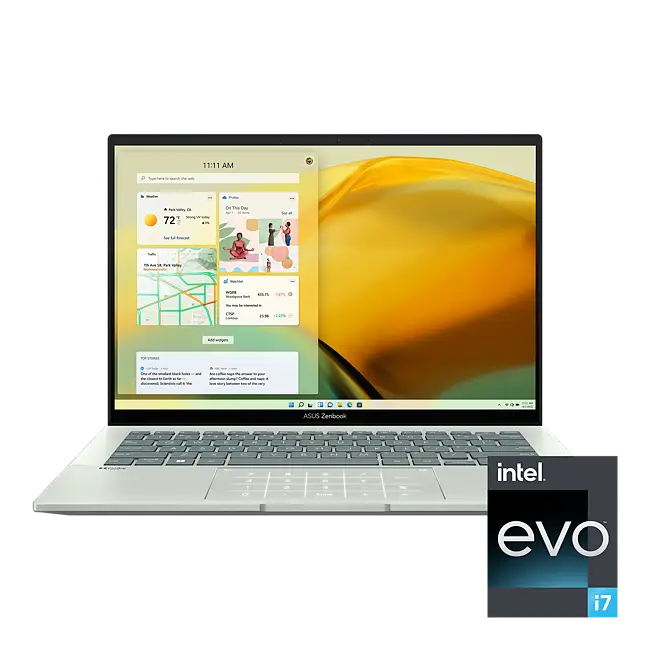
The powerful and compact Zenbook 14 OLED is just 16.9 mm slim and 1.39 kg*1 light, with a breathtaking new design that’s timelessly elegant yet totally modern. You’ll experience perfect visuals from the expansive 16:10 2.8K OLED HDR NanoEdge touchscreen*2,*3,*4, a color-accurate up to 550-nit screen that’s PANTONE® Validated and has a cinema-grade 100% DCI-P3 gamut. The 13th Gen Intel® Core™ i7 Processor, Intel Iris® Xe graphics, 16 GB RAM and 1 TB PCIe 4.0 SSD deliver superb performance, and there’s a long-lasting 75 Wh battery. For extraordinary sound, there’s a Dolby Atmos sound system powered by a smart amplifier. The user-centric design includes one-touch login with a fingerprint sensor on the power button, the new ASUS ErgoSense keyboard, and the efficient ASUS NumberPad 2.0. The bold new lid design is inspired by timeless Kintsugi craftsmanship, and it’s available in two fresh new colors: Ponder Blue and Foggy Silver. Zenbook 14 OLED is the new benchmark for portable perfection.
World-leading 14” 2.8K OLED display
16:10 aspect ratio, 2880 x 1800 resolution, 90Hz refresh rate, 0.2 ms response time, 100% DCI-P3 color gamut
16.9 mm / 1.39 kg
16.9 mm / 1.39 kg
thin & light
Full I/O ports
Full I/O ports
with USB-C® Easy Charge and high-speed Thunderbolt™ 4
ASUS ErgoSense keyboard and touchpad
for the best ergonomics
Windows 11 Pro
Windows 11 Pro
ASUS No.1 OLED: GFK and NPD combined retail data in 2021 Q4~2022 Q3, worldwide market.
Up to
13th Gen Intel® Core™ i7
Processor
Intel®
Iris® Xe
graphics
Long-lasting
75 Wh
high-capacity battery
WiFi 6E
for ultrafast connectivity
Up to
1 TB PCIe® 4.0 x4 SSD
with 6500 MB/s read speed
Up to
16 GB
LPDDR5 4800 MHz memory
ASUS NumberPad 2.0for efficient multitasking
ASUS NumberPad 2.0
for efficient multitasking
ASUS NumberPad 2.0for efficient multitasking
Fast fingerprint login
with power button
ASUS NumberPad 2.0for efficient multitasking
180° ErgoLift hinge
for easy sharing
ASUS NumberPad 2.0for efficient multitasking
3DNR webcam
for crisp and clear video call
Smart amplifier
350%-louder distortion-free
Smart amplifier350%-louder distortion-free
Dolby Atmos
multi-dimensional audio
Smart amplifier350%-louder distortion-free
AI noise cancelation
noise-free video conferencing
COLORS
Foggy Silver
Foggy Silver
An introspective silvery white that echoes stability, purity, and healing vibes, with a finely sandblasted feel.
Ponder Blue
Ponder Blue
Ponder Blue is a darker color scheme inspired by silent nights spent alone. It projects professional wisdom and introspection.
MOBILITY
Portable perfection
Designed for a sublime on-the-go experience, Zenbook 14 OLED packs a premium specification and a full set of I/O ports into a compact, slim and lightweight all-aluminum chassis that’s ready to go with you anywhere. Say hello to your new favorite traveling companion.
loading
16.9 mm
thin
1.39 kg
light
BATTERY
Non-stop stamina
There’s no need to panic if power outlets are in short supply: Zenbook 14 OLED’s long-lasting 75 Wh battery can keep you productive. And when it’s time to charge, there’s no need to slow down — in just 49 minutes you can top it up to a 60% charge level.
loading
PERFORMANCE
Powerfully productive
Whatever you need to do, Zenbook 14 OLED is primed and ready, featuring all the multitasking power of the latest 13th Gen Intel® Core™ i7 Processor combined with 16 GB RAM and Intel Iris® Xe graphics. Ultrafast PCIe 4.0 x4 SSDs take care of your storage needs, and the latest WiFi 6E (802.11ax) gives you gigabit-class wireless connections.
Windows 11 Pro
Up to
Core™ i7
13th Gen Intel® Processor
Iris® Xe
Integrated Intel® graphics
Up to
1 TB
PCIe® 4.0 x4 SSD
Up to
16 GB
RAM
Gigabit-class
WiFi 6E
802.11ax
loading
WiFi CONNECTIVITY
Fine-tuned with ASUS WiFi Master Premium technology
ASUS offers a comprehensive range of wireless connectivity solutions. WiFi 6E is the latest and fastest WiFi standard, and Zenbook 14 OLED enhances its performance even further with ASUS WiFi Master Premium technology. This includes ASUS WiFi Stabilizer, which gives your WiFi connections rock-solid stability, and WiFi Stabilizer to filter out wireless interference, so you’ll always enjoy the fastest possible speeds. Additionally, WiFi SmartConnect automatically selects the best WiFi source, so Zenbook 14 OLED connects seamlessly to the best WiFi signal and known mobile hotspots.
WiFi 6E
802.11ax
WiFi SmartConnect
support
loading
DISPLAY
See more, beautifully
The expansive 16:10 2.8K OLED NanoEdge touchscreen on Zenbook 14 OLED delivers incredibly detailed visuals with ultra-vivid colors. The NanoEdge design has ultra-slim bezels and a 90% screen-to-body ratio, which in turn gives Zenbook 14 OLED its svelte and compact form factor. For superb color accuracy, the display is PANTONE® Validated, and the DisplayHDR™ True Black 500 certification means it displays the deepest possible blacks. It also cares for your eyes during long screen sessions, with low blue-light levels that are certified by both SGS and TÜV Rheinland.
Up to
2880 x 1800
resolution
16:10
aspect ratio
OLED
ultra-vivid colors
90%
screen-to-body ratio
Corning®
Gorilla® Glass
touchscreen protection
Corning®
Corning®
validated display
Corning®
certified display
certified display
certified display
certified display
certified display
loading
ASUS OLED DISPLAY
An OLED cinema in your hands
Zenbook 14 OLED’s display has a best-in-class color gamut. It reproduces colors with superb real-life accuracy for professional-grade visuals, making it perfect for professional and creative work, or anyone who simply wants to enjoy the very best color fidelity. An OLED display, due to the nature of the special organic light-emitting compounds it uses, reduces harmful blue light by up to 70%*6 compared to LCD displays, making it extra gentle on your eyes to reduce the risk of retinal damage.
_dont_show_31
Up to
1.07 billion
colors
1,000,000:1
contrast ratio
Up to
550 nits
peak brightness
100% DCI-P3
best-in-class color gamut
0.2 ms
ultrafast response time
70% less
harmful blue light
AUDIO
Break the sound barrier
For unrivaled audio quality, Zenbook 14 OLED has a Dolby Atmos stereo sound system that’s certified by the audio experts at Harman Kardon. It delivers powerful, immersive sound that’s crystal-clear, with the multi-dimensional soundscape of Dolby Atmos. It immerses you in your favorite entertainment with sound that moves all around you with breathtaking realism in music, movies and TV.
Dual-mic
array
Dual-mic
Dual-mic
Smart amp 3.5x louder volume
Dual-mic
Feature Image 1
Smart Amp — 350% louder sound, zero distortion
The volume-enhancing, distortion-suppressing dual-channel smart amplifier can drive the twin speakers at the maximum volume possible while preventing long-term damage to the sensitive speaker voice coils. Creating or listening to audio in your videos, movies, music or games has never sounded better!
  • 350% LOUDER
    350% LOUDER
    Our smart amplifier system uses a high-power amplifier that can increase speaker volume by up to 350%.
  • MORE CLARITY
    MORE CLARITY
    The smart amplifier helps to deliver clearer audio by boosting volume across the entire audio spectrum, not just at certain frequencies. This ensures crystal-clear highs and powerful bass for a superlative audio experience.
  • DISTORTION-FREE
    DISTORTION-FREE
    The smart amplifier’s output is intelligently matched to the speaker’s physical capabilities, fine-tuning the system across the entire spectrum to ensure distortion-free audio at any volume level. The result is a high-quality audio experience and reliable long-term operation.

PrevNext

Gallery Navigation 1Gallery Navigation 2Gallery Navigation 3
KEYBOARD AND TOUCHPAD
Brilliantly nuanced ErgoSense keyboard and touchpad
It’s our mission at ASUS to elevate human interaction with technology to a higher and more intuitive level than ever before. The latest ASUS ErgoSense keyboard and touchpad are engineered to enable an unrivaled input experience that’s in harmony with how you move, feel and touch. Your comfort is our highest priority. That’s why the ErgoSense keyboard has an incredibly satisfying feel, with the optimum bounce and travel calculated with fine-tuned precision. Scrolling on our ErgoSense touchpad is just like touching silk. Its surface has a special low-friction coating that’s also fingerprint resistant, keeping your work area as clean as new.
Experience the ErgoSense keyboard and touchpad, and you’ll soon find yourself cruising effortlessly through your work.
loading
  • Full-sized keyboard19.05 mm
    Full-sized keyboard
    19.05 mm
    It’s time to say hello to ErgoSense, and goodbye to cramped laptop keyboards! The full-size 19.05 mm key pitch is the same as a desktop keyboard, so you can whizz through your work with superb typing comfort and accuracy.
  • Dished key caps0.2 mm
    Dished key caps
    0.2 mm
    The 0.2 mm key-cap dish is designed to match the shape of your fingertips. The smooth-edged indent is carefully crafted for a comfortable yet precise feel, so your fingers are gently guided to the ideal contact point with the keys.
  • Long key travel1.4 mm
    Long key travel
    1.4 mm
    Good tactile feedback is important to let you know that your key press has been registered. The long 1.4 mm key travel lets you type without having to use too much force. And underneath the key, there’s a rubber dome crafted by keyboard experts here at ASUS. It guarantees your click force is met with just the right tactile bump you need for a nice grip.
  • Ultra-smooth touchpad
    Ultra-smooth touchpad
    The hydrophobic coating applied to our touchpad has a high water-contact angle. This means the nanotech-like surface provides smoother feedback for every scrolling movement. It’s like touching silk!
  • Anti-fingerprint touchpad
    Anti-fingerprint touchpad
    We apply a high-end PVD anti-fingerprint coating that ensures excellent resistance to wear and tear. This coating also makes the surface really easy to clean. And even after more than 10,000 slides, the touchpad will still be as smooth as new.
  • Ultra-smooth touchpad
    Ultra-smooth touchpad
    The hydrophobic coating applied to our touchpad has a high water-contact angle. This means the nanotech-like surface provides smoother feedback for every scrolling movement. It’s like touching silk!
  • Anti-fingerprint touchpad
    Anti-fingerprint touchpad
    We apply a high-end PVD anti-fingerprint coating that ensures excellent resistance to wear and tear. This coating also makes the surface really easy to clean. And even after more than 10,000 slides, the touchpad will still be as smooth as new.
  • Anti-fingerprint touchpad
    Anti-fingerprint touchpad
    We apply a high-end PVD anti-fingerprint coating that ensures excellent resistance to wear and tear. This coating also makes the surface really easy to clean. And even after more than 10,000 slides, the touchpad will still be as smooth as new.

PrevNext

Gallery Navigation 1Gallery Navigation 2Gallery Navigation 3Gallery Navigation 4Gallery Navigation 5Gallery Navigation 6Gallery Navigation 7Gallery Navigation 8

Anti-fingerprint touchpad
We apply a high-end PVD anti-fingerprint coating that ensures excellent resistance to wear and tear. This coating also makes the surface really easy to clean. And even after more than 10,000 slides, the touchpad will still be as smooth as new.
Multitouch gestures
The ErgoSense touchpad supports multitouch gestures in Windows, so you can use three- or four-finger shortcuts to launch frequently-used applications or functions.
  • Three-finger gestures:Switch between apps
    Three-finger gestures:
    Switch between apps
    Show all open windows
    Swipe up with three fingers on the touchpadShow the desktop
    Swipe down with three fingers on the touchpad

    Switch between open apps or windows
    Swipe left or right with three fingers on the touchpad

  • Four-finger gestures:Switch between desktops
    Four-finger gestures:
    Switch between desktops
    Swipe left or right with four fingers on the screen

PrevNext

Gallery Navigation 1Gallery Navigation 2

USER EXPERIENCE
Thoughtful design
We go the extra mile to give you a more effortless and joyful experience, at work or play.
  • Dedicated function keys
    Dedicated function keys
    Pressing F9 toggles the mic on or off, and the F10 key controls the webcam shield.
  • One-touch login
    One-touch login
    The fingerprint sensor integrated into the power button allows easy and secure one-touch login.
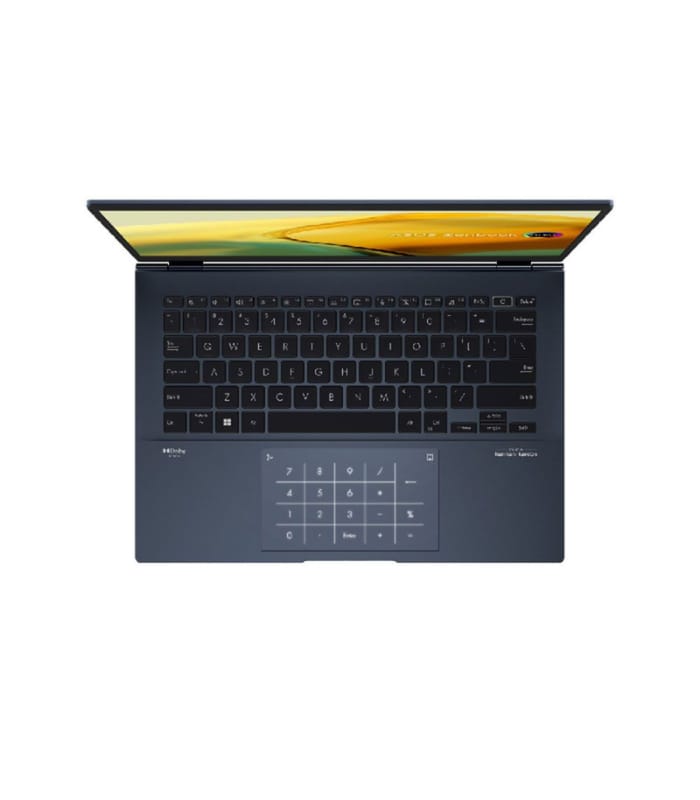
  • ASUS NumberPad 2.0*8
    ASUS NumberPad 2.0*8
    For easy number-crunching, the touchpad includes the ASUS NumberPad 2.0 numeric keypad.

PrevNext

Gallery Navigation 1Gallery Navigation 2Gallery Navigation 3

WEBCAM
Real-time webcam image optimization
ASUS 3D Noise Reduction (3DNR) Technology and the new webcam effects in MyASUS take your video-calling experience to the next level. 3DNR significantly upgrades the webcam image clarity, with a unique algorithm that sharpens images and performs real-time de-noising to make sure everything looks crisp and clear during video calls. The webcam effects in MyASUS add several useful image-processing features, including Background Blurring for enhanced privacy; Lighting Optimization to keep faces out of shadow; Motion Tracking to always keep you center-frame; and Eye Tracking to reduce the effect of your eyes wandering away from the camera.
WEBCAM
NOISE CANCELATION
Next-level AI noise-canceling audio technology
With the increase of remote work and video conferences, we’ve implemented ASUS AI noise-canceling audio technology to ensure the best experience. This employs machine learning in order to isolate unwanted noise from human speech. The ClearVoice Mic feature in the MyASUS app can filter out ambient noise, and normalize all individual voices in Multi-presenter mode from different positions for optimum group conference-call quality. The ClearVoice Speaker feature filters out all ambient noise apart from human speech — so you’ll hear what everyone else is saying.
Try the demo to experience the amazing difference in different environment that ASUS AI noise-canceling technology can make.
loading
CONNECTIVITY
Convenient connections
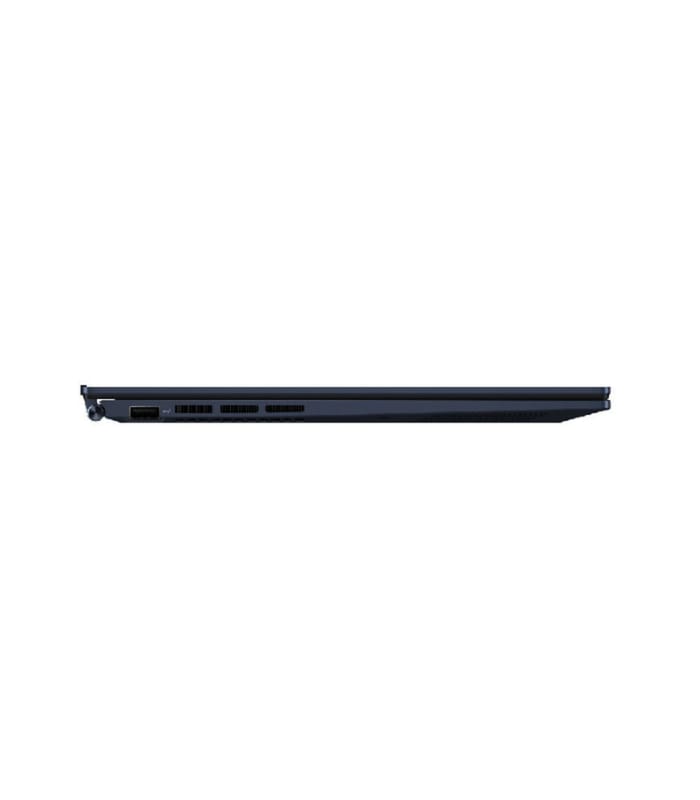
Zenbook 14 OLED is packed with all the I/O ports you need for easy connectivity to your devices and peripherals. The latest ultrafast Thunderbolt™ 4 USB-C® ports support fast charging, 4K UHD external displays and up to 40 Gbps*9 data transfers, and there’s also an HDMI® port and a USB 3.2 Gen 2 Type-A port alongside a microSD card reader. Communications and audio I/O are taken care of by the convenient audio combo jack.
loading
EASY CHARGE
USB-C® Easy Charge*10: Power anytime, anywhere
USB-C® Easy Charge support means that your Zenbook 14 OLED can be used with a wide range of standard 5-20V USB-C® chargers. You can enjoy ultrafast charging with any PD (Power Delivery) certified charger, including the 65-watt fast-charge adapter supplied with Zenbook 14 OLED, or juice up your device on the go with airline chargers, portable chargers or power banks!
loading
SOFTWARE
Truly personalized workflow
MyASUS hosts a collection of handy ASUS apps and tools that help you get more out of your laptop, and the powerful GlideX is a cross-device screen-sharing solution. Optimize your laptop’s performance and boost your productivity with ASUS apps!
Your PC just got better
MyASUS
MyASUS provides easy access to ASUS apps that are designed to help you maintain your system, update your software, optimize your PC’s performance, and contact ASUS for after-sales service and support.
Prioritize WiFi for specific tasks
AI noise-canceling audio for clear speech
Prioritize WiFi for specific tasks
Transfer files between a PC and a mobile
Optimize fan speed according to use​
Display color profile​
Optimize fan speed according to use​
One-click system diagnostics
loading
Your on-the-go work and play space
GlideX
GlideX is a cross-device screen-sharing solution that uses wired or wireless connections to give you a bigger and better space for work and play. With Screen Mirror you can project your device’s screen to PC for easier keyboard input on a bigger space; with Screen Extend you can create more space turning your tablet into a secondary display on the go. GlideX optimizes your workflow in the blink of an eye!
Screen Mirror
Screen Mirror
Screen Mirror
Screen Extend
loading
Manage app windows across displays connected to your ASUS PC
ScreenXpert 3 for ASUS PCs
The ScreenXpert 3 — which you can download from Microsoft store or find in your PC’s Start menu — helps you to manage app windows across displays connected to your ASUS PC. It also lets you turn your camera or microphone on and off and check their status on your PC’s screen without using the keyboard. ScreenXpert 3 for ASUS PCs puts you in full control of your workflow!
App Switcher
App Switcher
App Switcher
App Navigator
App Switcher
Cam / Mic Switch
loading
MILITARY GRADE
Toughness you can rely on
Zenbook 14 OLED has been tested to meet the ultra-demanding MIL-STD-810H U.S. military standard for reliability and durability. Tests consisted of a punishing regime designed to ensure survival in harsh environments, and included power-on drop tests, vibration tests, and operation at extremes of humidity, altitude and temperature. Zenbook 14 OLED has also passed ASUS laptop stress tests that far exceed the standards set by the industry.
loading
High Temperature Test30°C to 63°C for 7 x 24 hours non-operational cycles
High Temperature Test
30°C to 63°C for 7 x 24 hours non-operational cycles
High Temperature Test30°C to 63°C for 7 x 24 hours non-operational cycles
Low Temperature Test
-25°C to -33°C for 7 x 24 hours non-operational cycles
High Temperature Test30°C to 63°C for 7 x 24 hours non-operational cycles
Drop Test
Free fall from 100mm while powered on, 4x for each side/surface
Vibration Test5-500 Hz, 3 axes, random 2 hours per axis
Vibration Test
5-500 Hz, 3 axes, random 2 hours per axis
Vibration Test5-500 Hz, 3 axes, random 2 hours per axis
Humidity Test
95% humidity, 30°C and 60°C 10-day duration
Vibration Test5-500 Hz, 3 axes, random 2 hours per axis
Altitude Test
Normal operation at a cabin pressure equivalent to 15,000 feet
*1. Weight might vary according to specifications.
*2. The visual appearance of OLED displays may change over the product’s lifetime. This is expected behavior that can include image persistence or burn-in, where the display shows a faint remnant of an image even after a new image appears on the screen. This tends to occur only in extreme use cases, such as when a static, high-contrast image is continuously displayed for prolonged periods of time. ASUS laptops with an OLED display minimize this risk by setting Windows’s Dark mode as default, as well as shortening the idle time before the screen is turned off — both on mains (AC) and battery (DC) power. This dual approach minimizes the potential for burn-in to maximize the lifespan of your OLED display lifespan, and also reduces unnecessary power draw for optimal battery life. We also recommended adjust the brightness of your OLED display to complement the ambient lighting in your environment, rather than keeping the screen at maximum brightness at all times. You should also ensure that you have an animated, dark-background screensaver enabled in the Windows Settings tool.
*3. The stated 2.8 mm width of the side bezel is the distance between the edge of the non-active screen display area and the inside edge of the case. If the case width is included, the side bezel width is 5.3 mm. Measured based on standard (anti-glare) display configuration. The top bezel width is 6.3 mm and the bottom bezel width is 10.91 mm.
*4. Touchscreen is only available on models with a glass-covered display.
*5. Battery tests conducted by ASUS on December 8, 2022 using the 1080p Video Playback scenario. Test configuration: Zenbook UX3402VA, IPS panel, Intel i5-1340P, 256 GB SSD, 8 GB RAM. Test settings: WiFi enabled but disconnected (not connected to any access point), Windows Power Plan set to Balanced, display brightness set to 150 cd/m2. Actual battery life may vary depending on product configuration, usage, operational conditions and power management settings. Battery life will decrease over the lifetime of the battery.
*6. Compared to average LCD displays in the market, measuring energy emission of blue light in between 415-455 nm wavelength.
*7. Compared to average LCD laptop panel. Average LCD display has 10 ms response time.
*8. Please note that all versions of NumberPad only work with the Microsoft Windows operating system.
*9. Unless otherwise stated, all performance claims are based on theoretical performance. Actual figures may vary in real-world situations.
*10. The charging speed of a Power Delivery charger will match the connected adapter’s power output, up to a maximum of 100 watts. USB-C® Easy Charge provides 4.5-watt charging when connected to a non-Power Delivery charger, including most portable and USB Type-A to USB-C® chargers. Some portable chargers may not support such features, depending on the configuration.


معالجات Intel®‎ Core™‎ من الجيل الثاني عشر
تعزيز الأداء من أجل عالمك.
  • بنسبة تصل إلى40‏٪‏، أداء أفضل1
  • منع الضوضاء تلقائيًّا
  • بنسبة تصل إلى50‏٪‏، تحرير أفضل للصور1
معالجات Intel®‎ Core™‎ من الجيل الثاني عشر
معالجات Intel®‎ Core™‎ من الجيل الثاني عشر >
أداء حقيقي >
الاعتماد على الكمبيوتر الخاص بك أكثر من أي وقت مضى.
لهذا السبب صُمِّمت معالجات Intel®‎ Core™‎ من الجيل الثاني عشر لتتعامل مع كل شيء. احصل على أداء متفوق حيث تحتاج إليه كي تتمكن من التركيز على ما يهمك.2
الاعتماد على الكمبيوتر الخاص بك أكثر من أي وقت مضى.
العودة إلى الأعلى
إبداع حقيقي.
إبداع حقيقي.
أنشئ تحفتك بوقت أسرع مع رسوميات Intel® Iris® Xe.
تحرير أفضل للصوربنسبة تصل إلى50‏٪ 1
العودة إلى الأعلى
إنتاجية حقيقية.
إنتاجية حقيقية.
الأمثل للقيام بمهام متعددة كي تتمكن من فعل كل شيء في وقت واحد، من دون أي تباطؤ.
أداء أفضلبنسبة تصل إلى40‏٪ 1
العودة إلى الأعلى
ترفيه حقيقي.
ترفيه حقيقي.
تخلَّص من التأخر للحصول على بث مثالي الصورة ورفيع الجودة مع تخزين مؤقت أقل.
العودة إلى الأعلى


المواصفات

Brand
ColorBlue
Ram8GB RAM
PEARالمعالج
كارت الشاشةIntel UHD Graphics
حجم الشاشة14 بوصة

لاب توب اسوس ASUS Zenbook 14 OLED UX3402ZA-OLED005W

اختار من الفئاتلاب توب
الماركةأسوس
اللونأزرق
اسم الموديلاسوس Zenbook 14 OLED UX3402ZA-OLED005W
البروسيسورانتل كور i5
الجيلالجيل الثاني عشر
معلومات المعـــالج (Processor)الجيل الثاني عشر انتل® كور™ i5-1240P Processor 12M Cache, up to 4.40 GHz
سعة الرامات8 جيجا بايت
معلومات الرام8 جيجا بايت LPDDR5 on board
مساحة الهارد512 جيجا
نوع الذاكره512 جيجا بايت M.2 NVMe™ PCIe® 4.0 Performance SSD
كارت الشاشةIntel UHD Graphics
تفاصيل كارت الشاشة*Intel Iris Xᵉ Graphics is only available in models with Intel® Core™ i5/i7/i9 processors and dual-channel memory
معلومات الشاشة14 بوصة 2.8K (2880 x 1800) OLED
حجم الشاشة14 بوصة
التوصيلواي فاي 6E(802.11ax) (Dual band) 2*2 + بلوتوث® 5.3 Wireless Card
منافذ التوصيل(1) منفذ USB 3.2 Gen 2 Type-A
(2) منفذ Thunderbolt™ 4 supports display / power delivery
(1) منفذ HDMI 2.1 TMDS
(1) مدخل واحد مشترك سماعة رأس ميكروفون جاك 3.5مم
(1) مدخل Micro SD card reader
السماعاتSmart Amp Technology Built-in speaker Built-in array microphone harman/kardon (Premium)
نظام التشغيلويندوز 11
الضمانسنة